
Are you struggling with unreliable connections in your PCB projects? Cold solder joints are likely the culprit. These defective connections occur when solder fails to melt properly or adhere to components, leading to electrical failures or breakdowns. In this comprehensive guide, we’ll delve into preventing cold solder joints by focusing on proper soldering iron temperature, effective techniques, and essential tools. Whether you’re addressing cold solder joint symptoms or learning how to avoid cold solder joint issues with lead-free solder, this article will provide actionable tips to ensure you get strong, reliable solder joints every time.
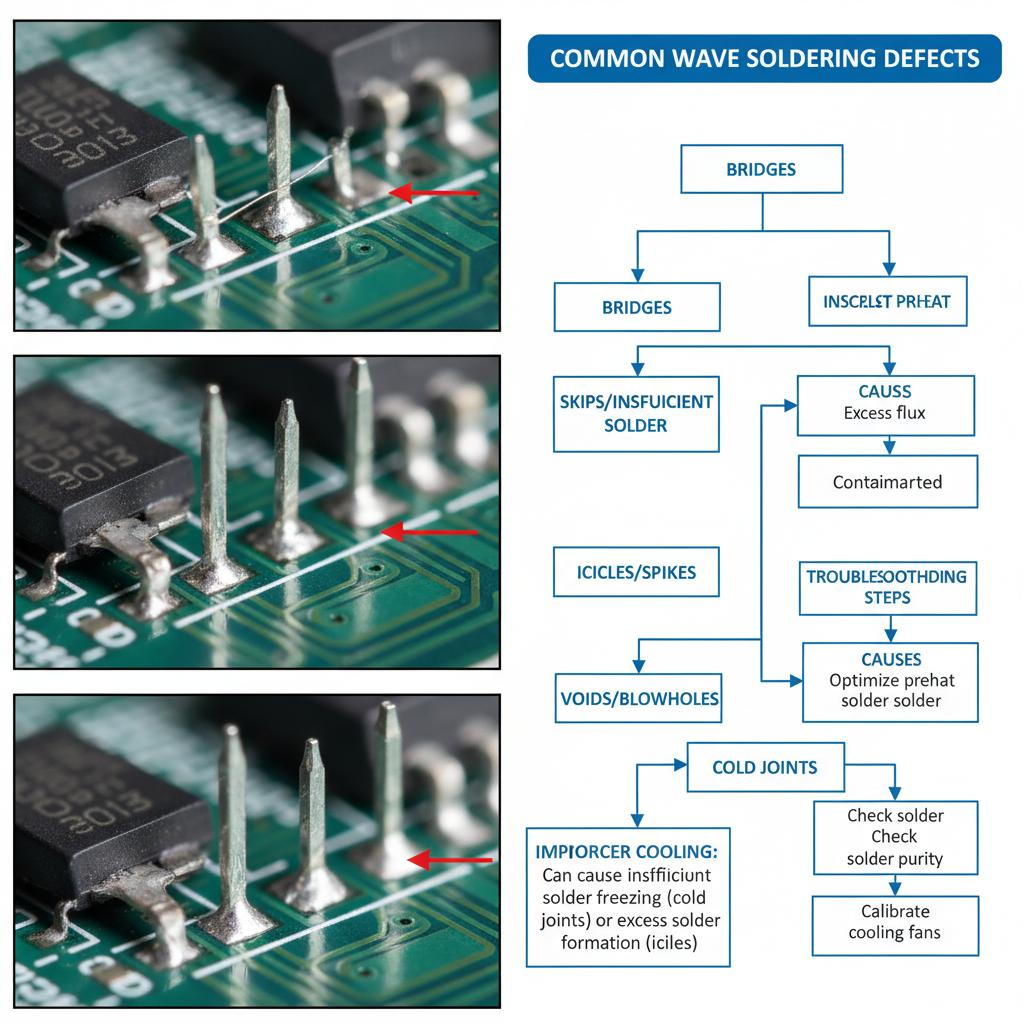
Cold solder joints occur when solder fails to melt completely or adhere properly to the metal surfaces of PCB components and pads. This results in connections that appear dull, grainy, or cracked, and often lack the mechanical strength and conductivity required for a reliable circuit. Cold solder joints can cause intermittent failures, poor performance, or complete circuit breakdown, making them a critical issue in electronics manufacturing and repair.

The impact of cold solder joints can be significant. For hobbyists, they might mean a project not going as expected. For professionals, they can lead to costly repairs, product recalls, or safety hazards. Understanding the symptoms of cold solder joints (such as visible cracks, a dull appearance, or intermittent electrical problems) is the first step in addressing and preventing these symptoms.
Common Causes of Cold Solder Joints
Before diving into prevention, let’s explore why cold solder joints occur. Identifying the root cause will help you avoid them during the soldering process.
- Insufficient Heat: If the soldering iron isn’t hot enough, the solder won’t melt completely, leading to poor adhesion. This is a common problem when dealing with soldering iron temperatures for cold solder joints.
- Poor Surface Finish: Dirt, oxidation, or grease on PCB pads or component leads can hinder proper solder flow and adhesion.
- Insufficient Flux: Flux cleans surfaces and promotes wetting, so using the wrong type or too little can cause the joint to cool.
- Movement During Cooling: If the joint is disturbed while the solder is solidifying, it can lead to a broken or weak connection.
- Lead-Free Solder Challenges: Cold solder joint problems often occur with lead-free solder because it requires higher temperatures and has different flow characteristics compared to traditional leaded solders.
By addressing these issues, you can significantly reduce the risk of cold solder joints in your projects.
Master Soldering Techniques to Avoid Cold Joints
Besides tools and materials, your soldering technique plays a crucial role in preventing cold solder joints. Here are some proven methods to ensure strong, reliable connections:
- Prepare Surfaces: Clean PCB pads and component leads with isopropyl alcohol and a brush to remove dirt or oxidation. This ensures better solder adhesion.
- Tip Tinning: Before soldering, apply a thin layer of fresh solder to the tip of the soldering iron. This improves heat transfer and prevents tip oxidation.
- Heat Both Surfaces: Position the soldering iron tip so that it simultaneously contacts the component leads and PCB pads. Heat for 1-2 seconds before adding solder to ensure both surfaces are hot enough for proper adhesion.
- Add Solder in Small Amounts: Feed a small amount of solder into the joint, allowing it to flow naturally across the heated surfaces. Avoid adding too much, as excessive solder can create spots or bridging.
- Avoid Movement: Keep the component still until the solder cools and solidifies (typically 3-5 seconds). Any movement during this time can damage the joint and cause cracks. Practice these steps on scrap PCBs to build confidence and improve your technique. Consistency and patience are key to avoiding cold solder joints.
Essential Tools for Preventing Cold Solder Joints
Having the right tools can play a significant role in achieving high-quality solder joints. Here is a list of essential equipment for any soldering setup:
- Temperature-Controlled Soldering Iron: A soldering iron with an adjustable temperature setting (30W to 60W for most electronics jobs) allows you to match the heat to the task, preventing cold solder joints and component damage.
- Solder Wire: Choose high-quality solder wire with a rosin core for electronics. For lead-free options, look for alloys like SAC305 (96.5% tin, 3% silver, 0.5% copper) to address cold solder joint issues with lead-free solders.
- Fluorescence Pen or Paste: Having extra flux on hand allows you to apply it directly to the joints for improved wetting and a cleaner connection.
- Desoldering Tools: A desoldering pump or braid is essential for fixing mistakes or reheating cold solder joints for proper rework.
- Magnifying glass or microscope: Use them to inspect joints for signs of cold solder joints, such as dullness or cracks that may not be visible to the naked eye.
Investing in quality tools will make it easier to create strong, reliable solder joints, saving you time and reducing frustration.
How to Identify and Repair Cold Solder Joints
Even with the best preventative measures, cold solder joints can still occur. Knowing how to spot and repair them is crucial. Look for these symptoms:
- Appearance: The joint looks dull, rough, or grainy instead of shiny and smooth.
- Cracks: Visible breaks or separations appear between the solder and the component lead or pad.
- Electrical Issues: Intermittent connections, high resistance (measurable with a multimeter; typically above 1 ohm when the joint is faulty), or complete circuit failure.
To reheat a cold solder joint, perform the following steps:
- Apply fresh flux to the joint to help wet and clean it.
- Heat the joint with a soldering iron for 2-3 seconds, ensuring the tip touches the lead and pad.
- Add a small amount of fresh solder to the joint to promote proper flow and adhesion.
- Let the joint cool without disturbing it, then check for a shiny, smooth appearance.
- If the joint still appears defective, use a desoldering tool to completely remove the old solder and start over. This method ensures a stronger connection.
Special Considerations for Lead-Free Solder
Due to environmental regulations, lead-free solder is widely used, but it also presents unique challenges. Cold solder joints are common with lead-free solder because of its higher melting point and different wetting behavior. Here are some solutions:
- Higher Temperatures: As mentioned earlier, set your iron to 300°C to 350°C (570°F to 660°F) to ensure proper melting.
- Quality Flux: Use a strong flux such as rosin or water-soluble flux to improve wetting on challenging surfaces.
- Faster Work: Lead-free solder cools quickly, allowing for efficient work and avoiding cold solder joints caused by premature solidification.
- With practice and proper setup, you can overcome the challenges of lead-free solder and achieve reliable results.
The Ultimate Tip for Consistent Soldering Success
Preventing cold solder joints comes down to preparation, precision, and practice. Keep these final tips in mind:
- Always work in a well-ventilated area and with appropriate safety equipment to avoid inhaling solder or flux fumes.
- Clean your soldering iron tip regularly with a damp sponge or brass wire cleaner to maintain efficient heat transfer.
- After soldering, test your connection with a multimeter to confirm low resistance (ideally below 0.1 ohms for a good connection).
- Be patient – rushed soldering often leads to errors such as cold solder joints.
By focusing on the correct soldering iron temperature for cold solder joints, using the appropriate type of flux to prevent cold solder joints, and mastering your technique, you will minimize the risk of connection defects and ensure the longevity of your PCB projects.
Cold solder joints are a common challenge in PCB assembly, but they are entirely preventable with the right knowledge and tools. From setting the optimal temperature to choosing the best flux and improving your technique, this guide covers everything you need to avoid cold solder joint symptoms and resolve issues such as cold spots on lead-free solder joints.